


When working with images, two terms come up frequently—DPI (Dots Per Inch) and Resolution. While they are often used interchangeably, DPI and resolution serve different purposes. Understanding their differences is critical for crafting visually stunning designs, flawless prints, and engaging digital content.
This guide will explain DPI and resolution in detail, comparing their uses and addressing common misconceptions. By the end of this article, you’ll know exactly how to apply these concepts in your projects.
What Is DPI?
DPI stands for Dots Per Inch, a term used in the print world to measure the number of ink dots that a printer applies to a single inch of a printed surface. Think of DPI as the quality-setting for printed images. The higher the DPI, the more detail, sharpness, and overall clarity the print will have.
DPI in Action
If you’re a graphic designer or photographer, neglecting DPI can result in disastrous prints. For example:
- 300 DPI (standard): Ideal for high-quality prints like photographs, brochures, or any professional-grade materials.
- 150 DPI (medium): Works well for basic printing needs like flyers or posters that viewers observe from a distance.
- 72 DPI (low): Typically used for drafts or large banners intended for long-range visibility, where subtle details aren’t noticeable.
Why DPI Matters
If you’re a graphic designer or photographer, neglecting DPI can result in disastrous prints. For example:
- A low-DPI file printed as a high-quality brochure may look pixelated or blurry.
- Conversely, overly high DPI settings might unnecessarily inflate file sizes, making them cumbersome to handle.
Quick Tip for Printing
Before sending a file for printing, confirm the DPI recommendation with your printing service. Typically, 300 DPI is the gold standard for sharp, professional visuals.
What Is Resolution?
Resolution refers to the number of pixels in a digital image, typically measured in width and height (e.g., 1920 x 1080 pixels). It determines how much visual detail an image can display on screens, websites, or other digital platforms.
Key Features of Resolution
- Pixel Dimensions: A 1080p image contains 1920 by 1080 pixels, while a 4K image has 3840 by 2160 pixels, offering more detail and clarity.
- PPI (Pixels Per Inch): While similar to DPI, PPI specifically describes the pixel density of digital displays.
Resolution in Digital Design
When resolution isn’t properly considered, the impact can be noticeable:
- Designing a low-resolution web banner? It may appear grainy or stretched on retina or high-definition screens.
- Enlarging a low-resolution image for a website background? You’ll see unwanted pixelation.
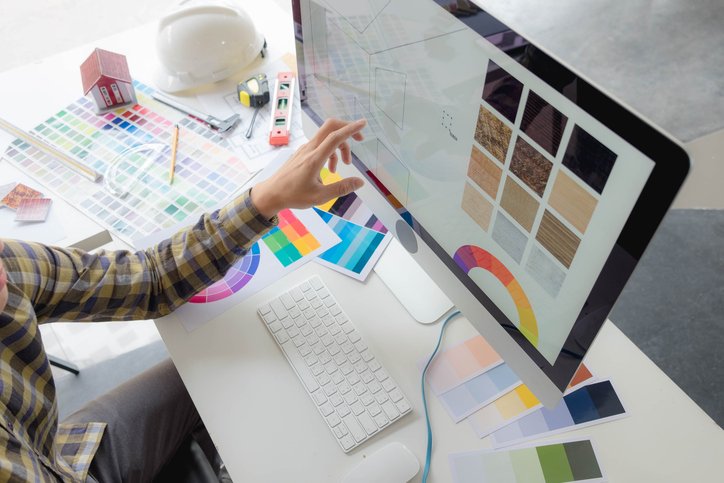
Ideal Screen Resolutions for Common Use Cases
- Web Graphics: Typically aim for 72-96 PPI. Although screens often have higher resolutions, this range ensures optimal balance between quality and file size.
- Social Media: Platforms like Instagram and Facebook compress images, so uploading too large or too small resolutions might distort the content.
- HD or 4K Content: Professional video or high-definition photo work requires resolutions between 1920 x 1080 (HD) and 3840 x 2160 (4K).
By paying close attention to resolution during design, you ensure cohesive visuals across any digital platform.
DPI vs. Resolution
At first glance, DPI and resolution might appear interchangeable because they’re both tied to image quality. However, they address distinct media formats—one for printing and one for digital display. Here’s how they differ:
DPI and Printing
- Purpose: DPI measures how effectively a printer reproduces detail in physical prints.
- Control: Adjustments are often handled by the printer settings or output device, not the design software.

Resolution and Digital Images
- Purpose: Resolution defines the pixel count within digital images, dictating how they appear on screens.
- Control: Designers must specify resolution during the creation or export process using tools like Photoshop or Illustrator.
Common Misconceptions
- “High DPI equals a better image.”
- Not true for web or screen use! DPI matters only for printing.
- “You can make any low-res image print-ready by increasing DPI.”
- Increasing DPI on a low-res image doesn’t add detail—it only enlarges existing pixels, causing blurriness.
- “Resolution doesn’t matter for printed materials.”
- Wrong—resolution impacts the quality of the digital source file that the printer will use.
Real-World Example
Imagine you’re creating a business brochure:
- On-screen, your design looks stunning at 72 PPI. However, you also need a print-friendly version with at least 300 DPI for a professional finish.
- If you use the wrong settings, you risk blurry, pixelated prints on high-resolution materials.
Practical Guidelines for DPI and Resolution
When to Use DPI
- Print Projects (e.g., photo printing, business cards, posters): 300 DPI is generally the safe bet.
- Large Format Designs (e.g., billboards): Lower DPIs like 150 work due to viewing distance.
- Custom Printing Services: Always check with your printer for optimal DPI requirements.
When to Focus on Resolution
- Web Design: Optimize images to load quickly while maintaining clarity (e.g., 1200 x 800 px for blog images).
- Social Media Graphics: Each platform has specific resolution requirements (e.g., Instagram posts are 1080 x 1080 px).
- Digital Presentations (PowerPoint, PDFs): Higher resolutions lead to crisper visuals on projectors.
Tools for Managing DPI and Resolution
- Graphic Design Software:
- Adobe Photoshop for both DPI settings and pixel resolutions.
- Canva for easy resizing in digital formats.
- Online Tools:
- DPI calculators help you determine ideal sizes for print resolutions based on project dimensions.

By making informed choices on when to prioritize DPI or resolution, you ensure stunning visuals tailored to your project.
Achieving Visual Perfection in Your Projects
Understanding the difference between DPI and resolution is a game-changer for graphic designers, photographers, and print professionals. Remember:
- DPI impacts print quality directly.
- Resolution defines how crisp images appear on digital screens.
Knowing how to apply each concept ensures superior results, regardless of medium. Print professionals will appreciate the sharp details on a high-DPI poster, while website visitors will notice the clarity of high-res images on your page.
Looking to refine your print or web projects further? Explore tools like Adobe Photoshop or online DPI calculators for precise results every time. By mastering DPI and resolution, you elevate the quality of your work—and the impact it can achieve.


